Navigating the Data Jungle: A Guide to Blog Analytics
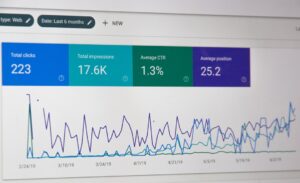
Hey there, fellow bloggers and data enthusiasts! Welcome to the exciting world of Blog Analytics. It’s like being handed a treasure map to unlock the secrets of your blog’s performance. In this article, we’re diving deep into the art of Google Analytics Setup, deciphering the language of Understanding Blog Metrics, and harnessing the power of data for Data-Driven Decisions. So, grab your magnifying glass, and let’s embark on this data exploration together!
Blog Analytics: Illuminating Your Blog’s Path
The Power of Data
Let’s start with the basics. Blog Analytics is all about using data to understand your blog’s performance, audience behavior, and content effectiveness.
Google Analytics Setup: Your Data Beacon
Setting Up for Success
To embark on this data-driven journey, the first step is Google Analytics Setup. It’s like having a lighthouse that guides your blogging ship through the digital ocean.
1. Creating Your Google Analytics Account
Head over to Google Analytics, create an account, and set up your blog as a property.
2. Installing the Tracking Code
Insert the tracking code generated by Google Analytics into your blog’s code or use a plugin to streamline the process.
Understanding Blog Metrics: The Language of Data
Speaking the Data Language
Now that you’re all set up, let’s dive into the fascinating world of Understanding Blog Metrics. It’s like learning a new language, but the fluency can take your blog to new heights.
1. Sessions and Pageviews
Sessions represent individual visits to your blog, while pageviews indicate how many pages were viewed in total.
2. Bounce Rate
Bounce rate tells you the percentage of visitors who left your blog after viewing only one page. A lower bounce rate is often better.
Data-Driven Decisions: Steering Your Blog to Success
Embracing Data-Driven Blogging
With a grasp of metrics, it’s time to make Data-Driven Decisions. Think of it as steering your blog’s ship with precision based on real-time data.
1. Content Strategy
Analyze which blog posts are performing well and tailor your content strategy accordingly.
2. Audience Engagement
Discover what keeps your audience engaged, be it videos, infographics, or long-form articles, and focus on creating more of it.
Website Analytics: Beyond the Basics
Going Beyond Google Analytics
While Google Analytics is a powerful tool, consider exploring other Website Analytics tools to gain deeper insights into your blog’s performance.
1. Heatmaps
Heatmaps show you where users are clicking, moving, and spending the most time on your blog.
2. A/B Testing
Experiment with different elements on your blog, such as headlines, CTAs, and layouts, to see what resonates with your audience.
Blog Traffic Analysis: Where Are Your Visitors Coming From?
Unveiling Traffic Sources
Blog Traffic Analysis helps you understand where your visitors are coming from. It’s like having a roadmap to your blog’s popularity.
1. Organic Traffic
Monitor the traffic generated by search engines. Optimize your content for SEO to increase organic traffic.
2. Referral Traffic
Discover which websites are sending traffic your way and build relationships with them.
User Behavior Tracking: Understanding Your Audience
Navigating User Behavior
User Behavior Tracking is like having a magnifying glass to examine how visitors interact with your blog.
1. Click-Tracking
See where visitors are clicking on your blog and optimize your layout accordingly.
2. Time on Page
Monitor the average time visitors spend on your blog posts. Longer times often indicate engaged readers.
Content Performance Measurement: What’s Working and What’s Not
Evaluating Content Effectiveness
Content Performance Measurement is your guide to what’s resonating with your audience and what needs improvement.
1. Conversion Rates
Track how many visitors take desired actions, such as signing up for your newsletter or making a purchase.
2. Social Shares
Identify which content gets shared the most on social media and replicate its success.
Blog Data Analysis: Extracting Insights
The Art of Interpretation
Blog Data Analysis involves interpreting your data to extract actionable insights. It’s like solving a puzzle with valuable rewards.
1. Periodic Reporting
Create regular reports to monitor your blog’s progress and adjust your strategies accordingly.
2. A/B Testing
Experiment with different approaches and analyze the results to make data-driven improvements.
Analytics Insights for Blogging: Your Path to Success
The Data-Driven Blogger
In conclusion, Analytics Insights for Blogging is your path to success in the digital realm. By setting up Google Analytics, Understanding Blog Metrics, and making Data-Driven Decisions, you’re well on your way to taking your blog to new heights. So, embrace the power of data, and let it illuminate your blogging journey!
RELATED SEARCH TERMS ABOUT BLOG ANALYTICS:
- Unlocking the Secrets of Blog Analytics: Navigating Data for Blogging Success
- The Data-Driven Blogger’s Guide: From Google Analytics Setup to Data-Driven Decisions
- Setting Sail with Google Analytics: A Comprehensive Guide to Blog Data Analysis
- Deciphering Blog Metrics: Speaking the Language of Blogging Data
- Steering Success: Making Data-Driven Decisions in Your Blogging Journey
- Beyond the Basics: Exploring Website Analytics for In-Depth Blog Insights
- Traffic Analysis Unveiled: Understanding Your Blog’s Sources of Visitors
- Magnifying User Behavior: A Close Look at Audience Interaction with Your Blog
- Measuring Content Effectiveness: Evaluating Blog Posts for Maximum Impact
- From Data to Insights: The Art of Blog Data Analysis and Periodic Reporting